Physical Address
304 North Cardinal St.
Dorchester Center, MA 02124

If you spend more than four hours a day sitting at a desk, your chair is probably doing more damage, or more good, than you realize. Back pain, hip stiffness, numb legs, and that “wrecked” feeling at the end of a workday are almost never about how hard you’re working. They’re about how your body is supported while you work.
This guide breaks down exactly what makes a chair “ergonomic,” what to look for before you buy, and which of our in-depth reviews to check out depending on your body type, budget, and workspace. Think of this as the hub, and every specific chair review and buying guide on this site links back to this page, and this page links out to all of them.
Almost every chair on Amazon calls itself “ergonomic” today. Most aren’t, in any meaningful sense. A chair earns that label only if it actually adjusts to your body rather than forcing your body to adjust to it. That means real, independent adjustability, not just a cushioned seat and a “supportive” tagline.
Here’s what separates a genuinely ergonomic chair from a marketing claim.
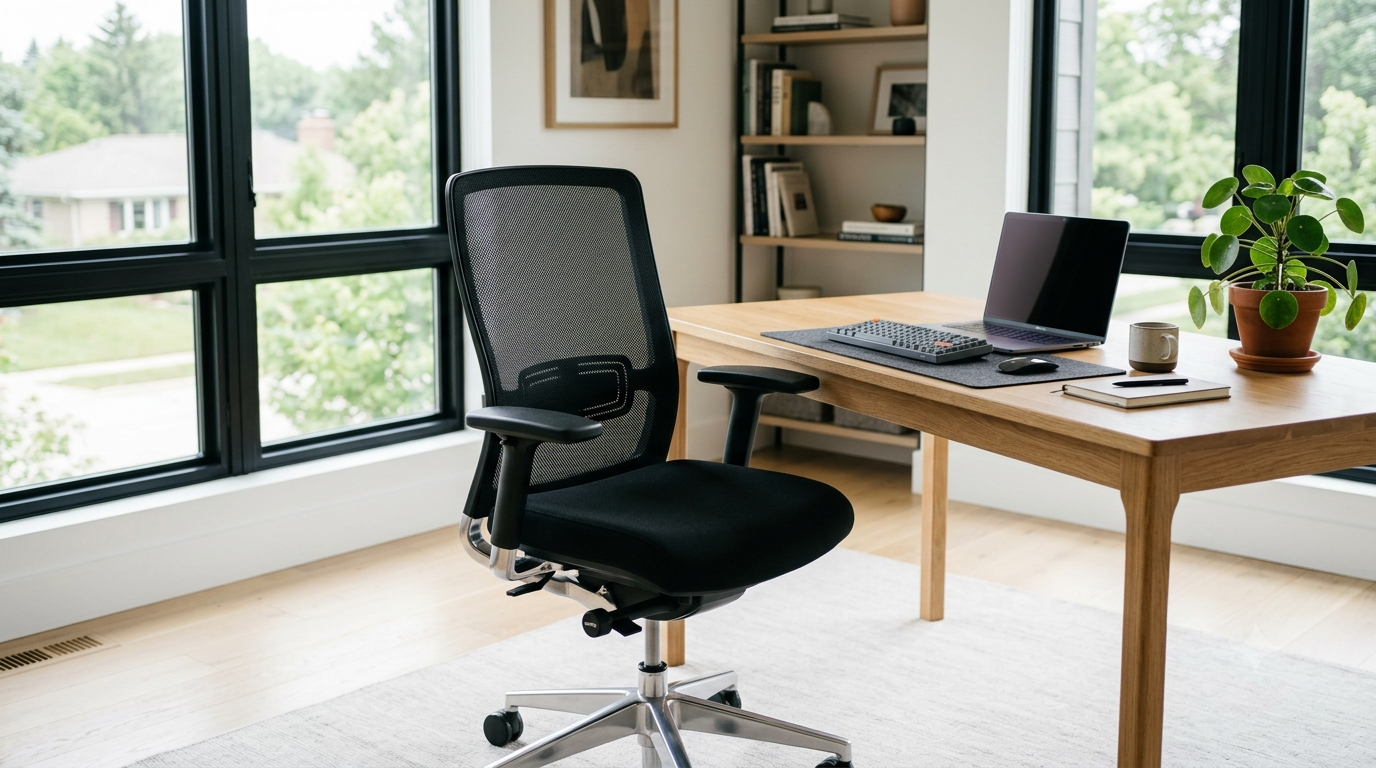
Your lower spine has a natural inward curve. When you sit, that curve tends to flatten out, which is what causes lower back fatigue over a workday. A chair with adjustable lumbar support, one you can move up, down, or in and out, maintains that curve regardless of your height or how you’re sitting. A chair with a fixed lumbar bump baked into the foam only works for a narrow range of body shapes and heights.
The seat pan should let you sit with your back against the backrest while leaving 2-4 inches of space between the edge of the seat and the back of your knees. Too deep, and it cuts into your knees or forces you to slouch to reach the backrest. Too shallow, and your thighs aren’t fully supported. Seat height should let your feet rest flat on the floor with your knees at roughly a 90-degree angle. If you’re shorter than average, a chair without height adjustment down to around 16 inches will leave your feet dangling.
Armrests should let your shoulders relax and your elbows sit at roughly 90 degrees while typing. Fixed armrests that are too high push your shoulders up toward your ears; too low, and you’ll lean to compensate. Look for 3D or 4D armrests (height, width, depth, and pivot) if you can afford them. 2D (height and width only) is the practical minimum for real ergonomic value.
A chair that lets you recline and lock at multiple angles reduces spinal disc pressure during long stretches of reading or calls. A chair that only sits upright or free-floats with no tension control will either feel too stiff or too loose depending on your weight.
Mesh backs breathe better and don’t trap heat, which matters more than people expect over an 8-hour day. Foam/leatherette seats tend to feel more “premium” and last longer under heavy daily use, but can get warm. Neither is objectively better; it depends on your climate and how long you sit continuously.
This is the one most buyers ignore and most budget chairs get wrong. A chair rated for 250 lbs that’s holding someone at 240 lbs will wear out its gas lift and frame far faster than one rated for 350 lbs. Always buy above your actual weight, not right at the limit.
If you sit 8+ hours a day, every day: prioritize adjustable lumbar support and seat depth above everything else. This is where cheap chairs fail first, usually within 6-12 months.
If you’re under 5’4″ or over 6’2″: standard “one-size” chairs will not fit you properly no matter how many features they have. Look for chairs with a wider height-adjustment range, or chairs specifically built for your size. See our guide on chairs for petite and big & tall body types.
If you have existing back pain: this is not a substitute for medical advice, but generally, adjustable lumbar support plus a moderate recline (not fully upright, not fully reclined) reduces the load on the lower spine during long sitting sessions. Talk to a physical therapist if pain is persistent. A chair helps manage strain, it doesn’t fix an existing condition.
If budget is tight: you can get 80% of the ergonomic benefit for well under $300 by prioritizing adjustable lumbar support and seat height over premium materials or brand name. Mesh chairs in the $150-250 range often outperform padded chairs at the same price on actual adjustability.
If you want the best possible chair and budget isn’t the constraint: the differences between a $900 chair and a $1,500 chair are mostly about material longevity, warranty length, and fine-tuned adjustability, not core ergonomic function. Diminishing returns kick in hard above roughly $1,000.
The right office chair isn’t the most expensive one, it’s the one that actually adjusts to fit your body and how you work. Start with lumbar support and seat depth, get the height and armrests right, and everything else is a bonus. Use the guides above to find the specific pick that matches your budget, body type, and how many hours you’re actually sitting each day.