Physical Address
304 North Cardinal St.
Dorchester Center, MA 02124
Physical Address
304 North Cardinal St.
Dorchester Center, MA 02124

Short answer first: if your laptop lives on your desk all day, get a solid fixed stand like the Rain Design mStand and pair it with an external keyboard. If you need to dial in the exact screen height, get an adjustable stand like the Nulaxy C1 or the Lamicall LN09. And if your laptop mostly runs closed with an external monitor, skip the risers entirely and look at the Rain Design mTower vertical dock at the end of this list.
A laptop stand does one job that matters: it raises the screen so you stop bending your neck down at it for eight hours a day. Everything else, cooling, cable tidiness, desk space, is a bonus. The six stands below cover the main desk setups people actually have, from a permanent home office to a fold-flat stand that lives in a laptop bag.
As an Amazon Associate, Wunely earns from qualifying purchases. Prices change often, so check the current price on Amazon before you buy.
Updated November 2026.
| Pick | Type | Fits laptops | Lift | Best for |
|---|---|---|---|---|
| Rain Design mStand | Fixed, one piece | Most sizes | About 6 in | A permanent desk setup |
| Nulaxy C1 | Adjustable, dual foldable arms | 10 to 17 in | Adjustable | Dialing in height and angle |
| Soundance LS1 | Fixed, detachable 3-piece | 10 to 15.6 in | Fixed riser height | A tidy budget desk |
| Tonmom 104S | Foldable travel stand | 10 to 15.6 in | 2.78 to 6.5 in, 7 levels | Hybrid workers and travel |
| Lamicall LN09 | Adjustable, heavy base | 10 to 17.3 in | Adjustable | Bigger, heavier laptops |
| Rain Design mTower | Vertical dock | Most thicknesses | Vertical storage | Closed-laptop monitor setups |
We compared stands on the things that decide whether you keep using one: how high the screen actually ends up, whether the stand wobbles when you type, what laptop sizes it honestly fits, and how much desk it gives back or takes away. Every model below is a current, widely sold stand with a long review history, and every product link was checked against two independent sources before it went in. We skipped stands with flimsy plastic hinges as the main support, stands sold under a rotating cast of no-name listings, and anything that needs tools or assembly beyond a few minutes. We did not buy or test these stands ourselves; the specs and measurements below come from the manufacturers and verified listings, and the pros and cons reflect the feedback patterns that show up again and again in owner reviews.
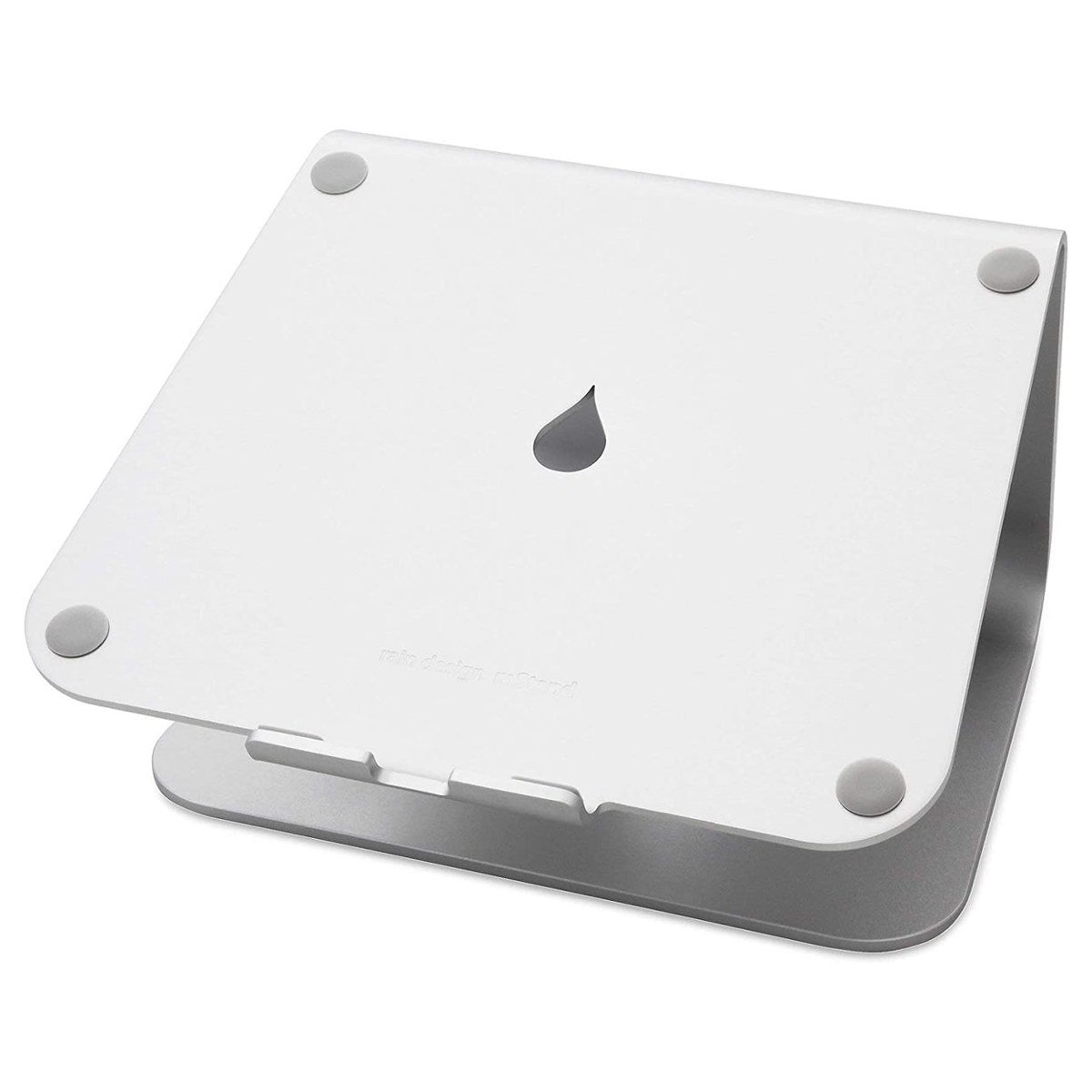
The mStand is the stand for people who set up a desk once and then stop thinking about it. It is a single piece of aluminum with no hinges, no knobs and nothing to loosen over time. It lifts the screen about 6 inches, which puts most laptop screens close to eye level when you are sitting properly, and the raised design leaves the underside of the laptop open so heat can escape instead of soaking into the desk. There is a cable hole in the back panel for routing your charger and dock cables, and the silver finish is the same anodized look Apple uses, so it blends in next to a MacBook instead of looking like an accessory. It weighs about 3 pounds, which is heavy for a stand, but that weight is exactly why it does not slide around.
The trade-off is zero adjustability. The height and tilt are fixed, so if the mStand height does not suit your chair and desk combination, there is nothing to tweak. It also works best with an external keyboard and mouse, because typing on a laptop raised 6 inches puts your wrists at an awkward angle.
Pros: one solid piece with nothing to wear out; raises the screen about 6 inches; open underside helps cooling; cable routing hole in the back.
Cons: height and angle are not adjustable; you really need an external keyboard and mouse with it.
Skip it if: you share the desk with people of different heights, or you want one stand that moves between rooms.
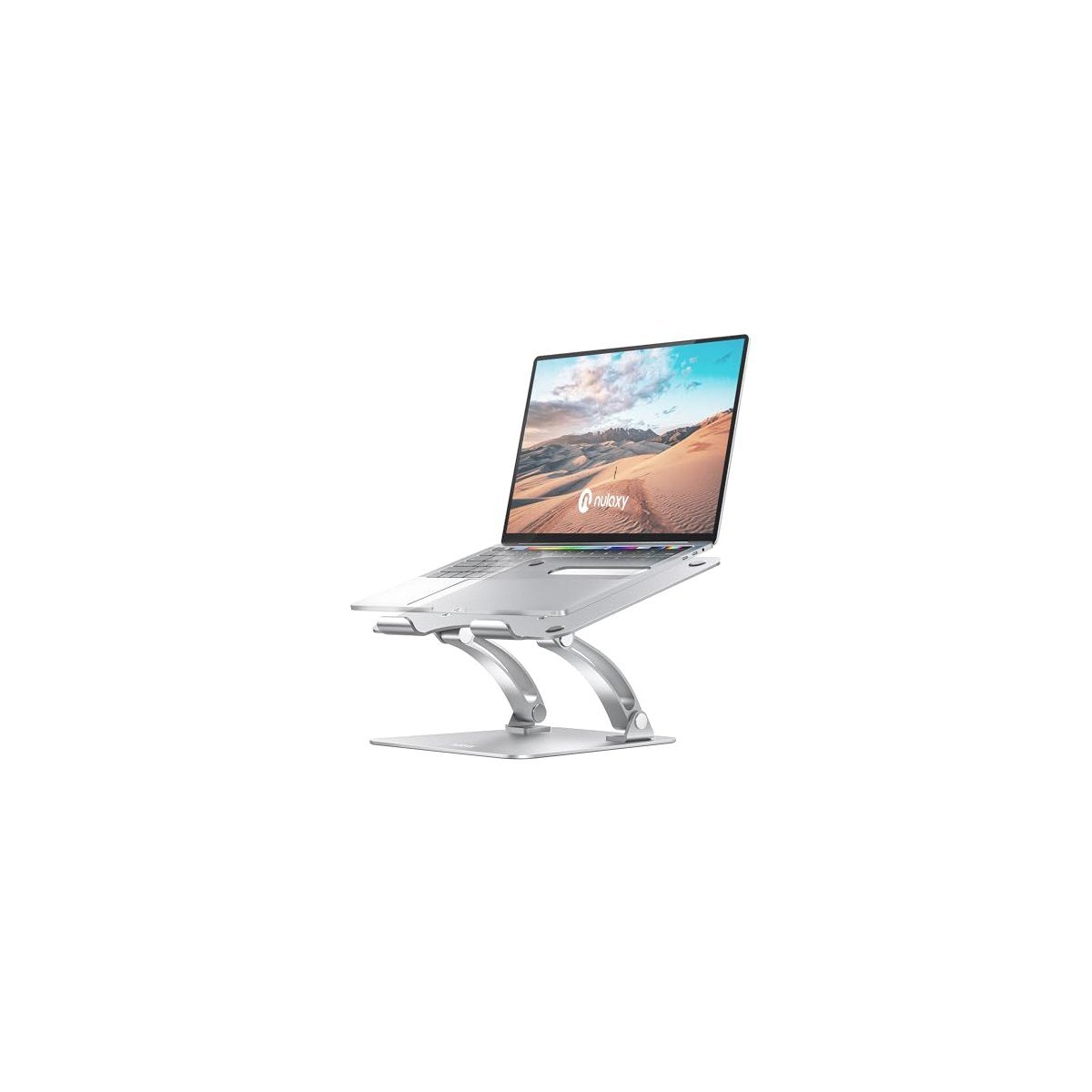
The Nulaxy C1 takes the opposite approach to the mStand: nearly everything moves. Two foldable arms let you set both the height and the tilt of the platform, so you can line the screen up with your eyes whether you are in a low desk chair or standing at a raised desk. The platform has a large heat vent cut into it plus an open frame, so the laptop fan is not fighting a solid slab. It fits laptops from 10 to 17 inches, and when you are done it folds down flat enough to slide into a drawer or a bag. Owners rate it 4.8 out of 5 across more than 16,000 reviews, which is a strong record for a moving-parts stand.
The honest catch with any dual-arm stand is stability. It is steady in normal use, but if you poke the screen or type hard directly on the raised laptop, you will feel some flex that a one-piece stand does not have. It is also at its best with an external keyboard, like every tall stand here.
Pros: height and angle both adjust; heat vent and open design for airflow; fits 10 to 17 inch laptops; folds flat.
Cons: a little flex if you type on the laptop itself; moving arms need a firm hand to set evenly.
Skip it if: you want a stand you never have to adjust again, or you type on the laptop keyboard all day.
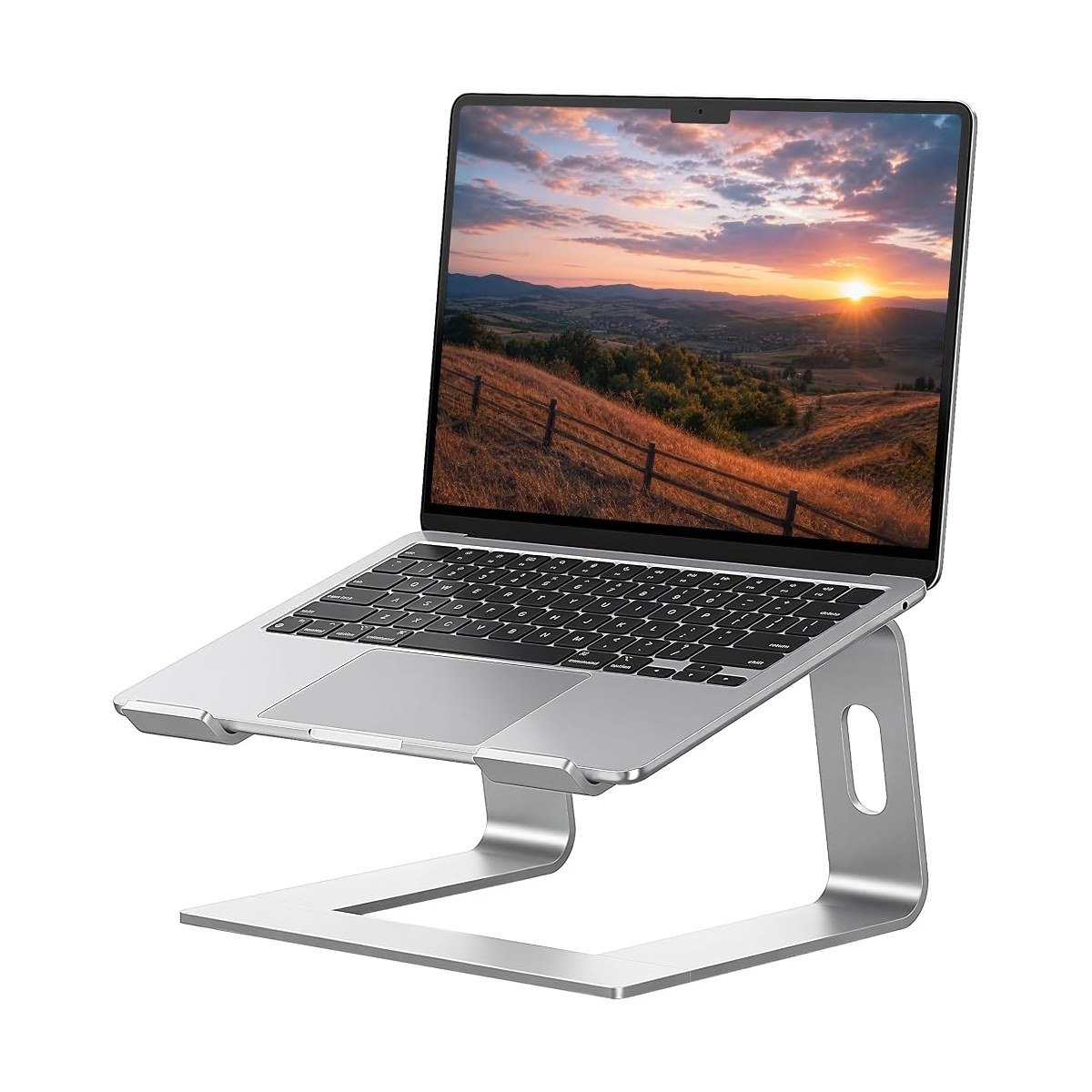
The Soundance LS1 is the simple answer for a smaller laptop and a smaller budget. It is an aluminum riser that lifts 10 to 15.6 inch laptops to a fixed, comfortable viewing height, with rubber pads where the laptop sits and hooks at the front so nothing slides forward. The clever part is that it is built from three pieces that slot together, so if you ever need the desk space back, it comes apart and stores flat in a drawer instead of living on your desk forever. With a 4.8 rating across more than 51,000 reviews, it is one of the most bought stands in this category, and the silver finish matches most laptops.
Because it is a fixed riser, you get one height only, and it is sized for laptops up to 15.6 inches, so a big 17 inch machine is not a good fit. The three-piece design is solid once assembled, but it will never feel quite as planted as a single piece of metal like the mStand.
Pros: simple fixed lift that just works; breaks down into three flat pieces for storage; rubber pads and front hooks keep the laptop in place; very strong review record.
Cons: one fixed height; not sized for 17 inch laptops.
Skip it if: your laptop is bigger than 15.6 inches, or you need height adjustment.
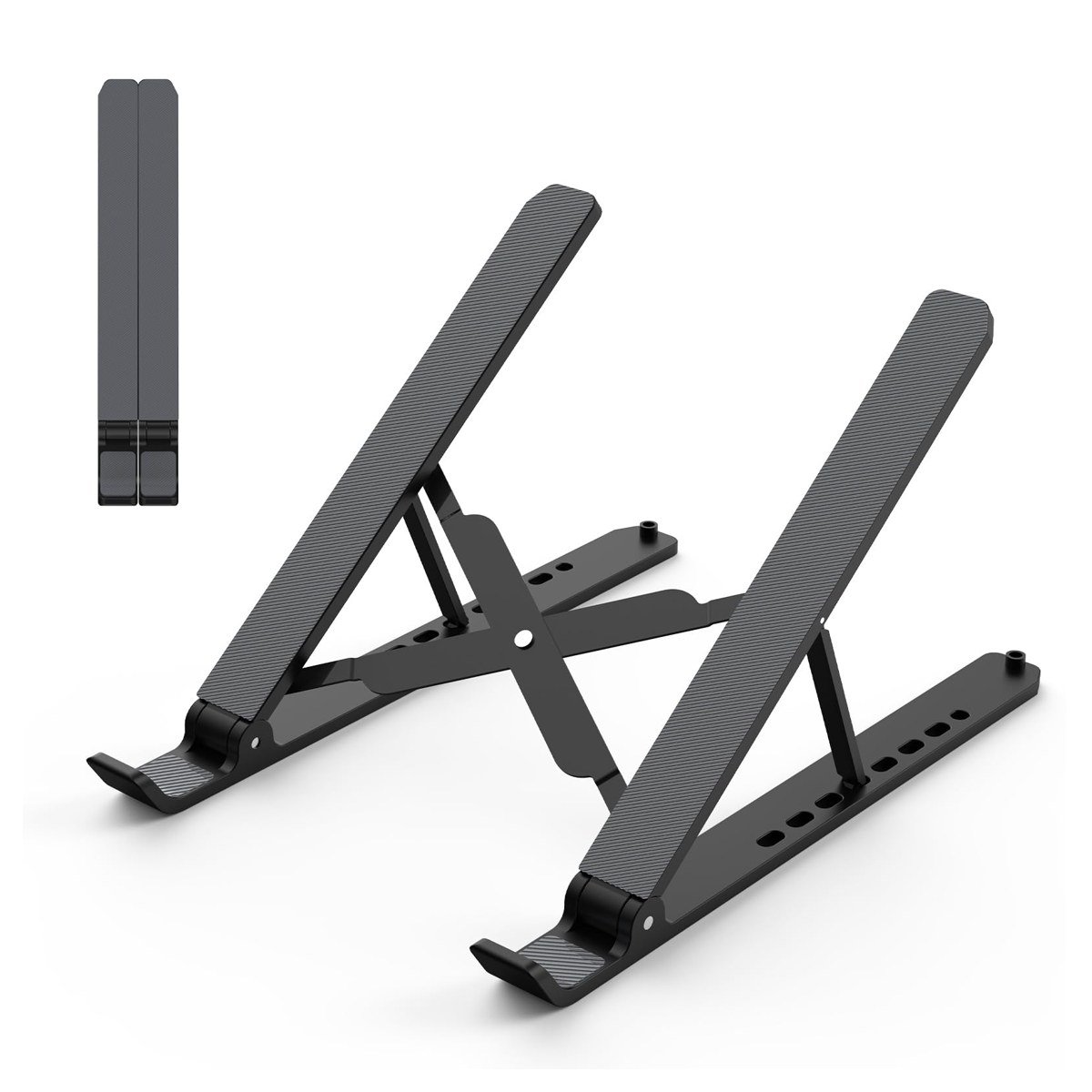
Most stands on this page assume your laptop stays in one place. The Tonmom 104S assumes the opposite. It is a scissor-style stand made of ABS plastic with silicone padding that folds down to about 10.5 x 2 x 0.7 inches and weighs roughly half a pound, so it disappears into a laptop sleeve. Open it up and you get seven height settings, from about 2.8 inches up to 6.5 inches, which covers everything from a slight typing tilt to a proper screen lift at a kitchen table or a hot desk. It fits laptops from 10 to 15.6 inches, and at around ten dollars it is the cheapest way on this page to stop hunching over a laptop when you work away from your main desk.
Plastic is plastic, though. It handles everyday ultrabooks without drama, but a heavy 15.6 inch gaming laptop is at the top of what it can hold, and the lightweight frame can feel a bit lively on a wobbly cafe table.
Pros: folds completely flat and weighs about half a pound; seven height settings; silicone pads protect the laptop finish; very low price.
Cons: ABS plastic, not metal; not the right pick for the heaviest laptops.
Skip it if: your laptop never leaves your desk. A fixed metal stand will serve you better.
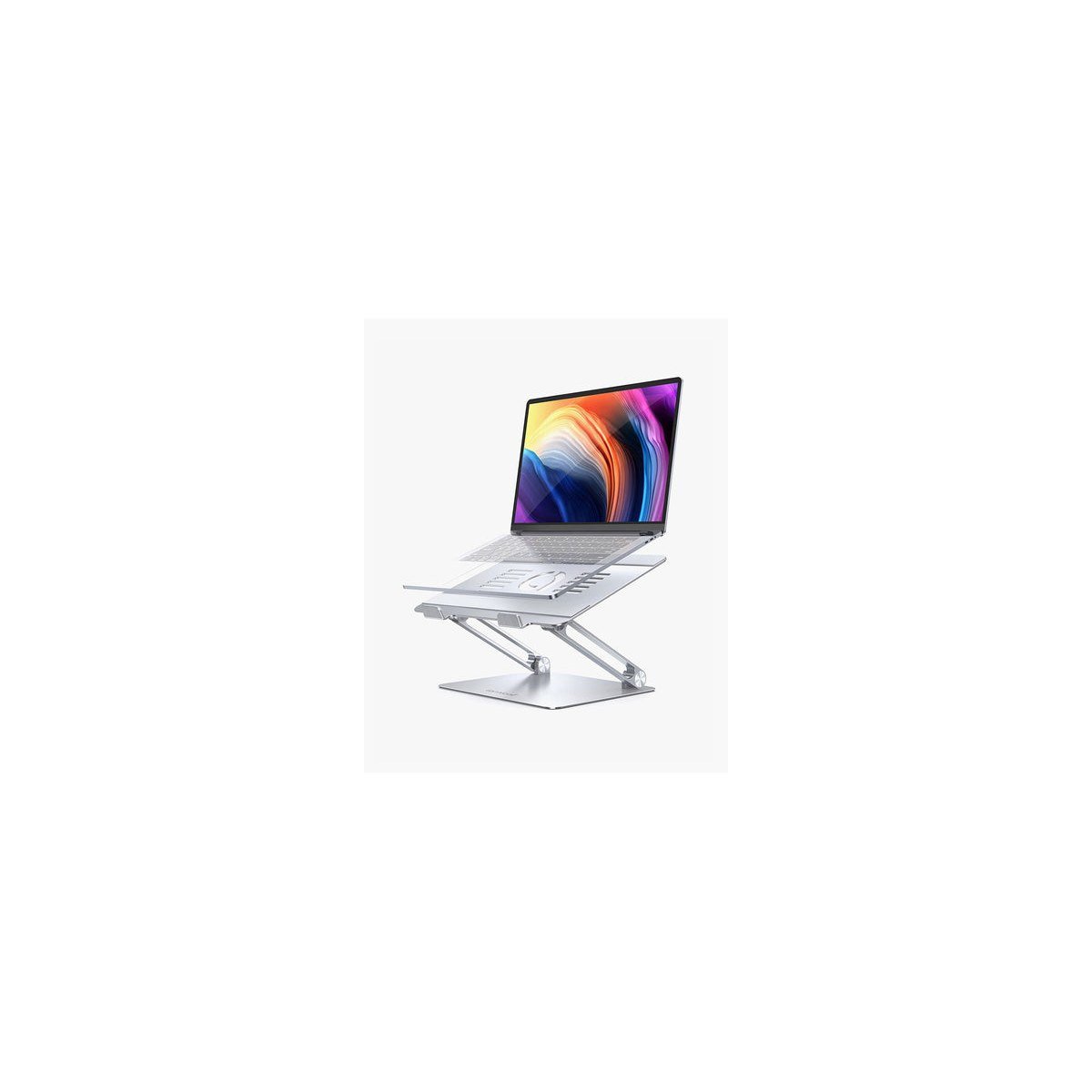
If you like the idea of the Nulaxy C1 but your laptop is a big one, the Lamicall LN09 is built for you. It fits laptops from 10 to 17.3 inches and uses an enlarged, weighted base, so the stand stays composed when a heavier machine sits up high. The folding zigzag arms adjust both height and viewing angle, the panel is vented to let heat out, and the whole thing folds down when you need the desk clear. It holds a 4.7 rating across more than 10,000 reviews, and the silver version suits most desk setups.
It costs more than the basic folding stands, and like all tall adjustable stands it is happiest when you type on a separate keyboard. The hinges need a deliberate push to move, which is good for stability but means quick one-handed adjustments are not really a thing.
Pros: fits laptops up to 17.3 inches; heavy base stays steady with big machines; height and angle adjust; folds away.
Cons: pricier than basic risers; stiff hinges take two hands to adjust.
Skip it if: your laptop is a small ultrabook. The Tonmom or the LS1 will do the same job for less.
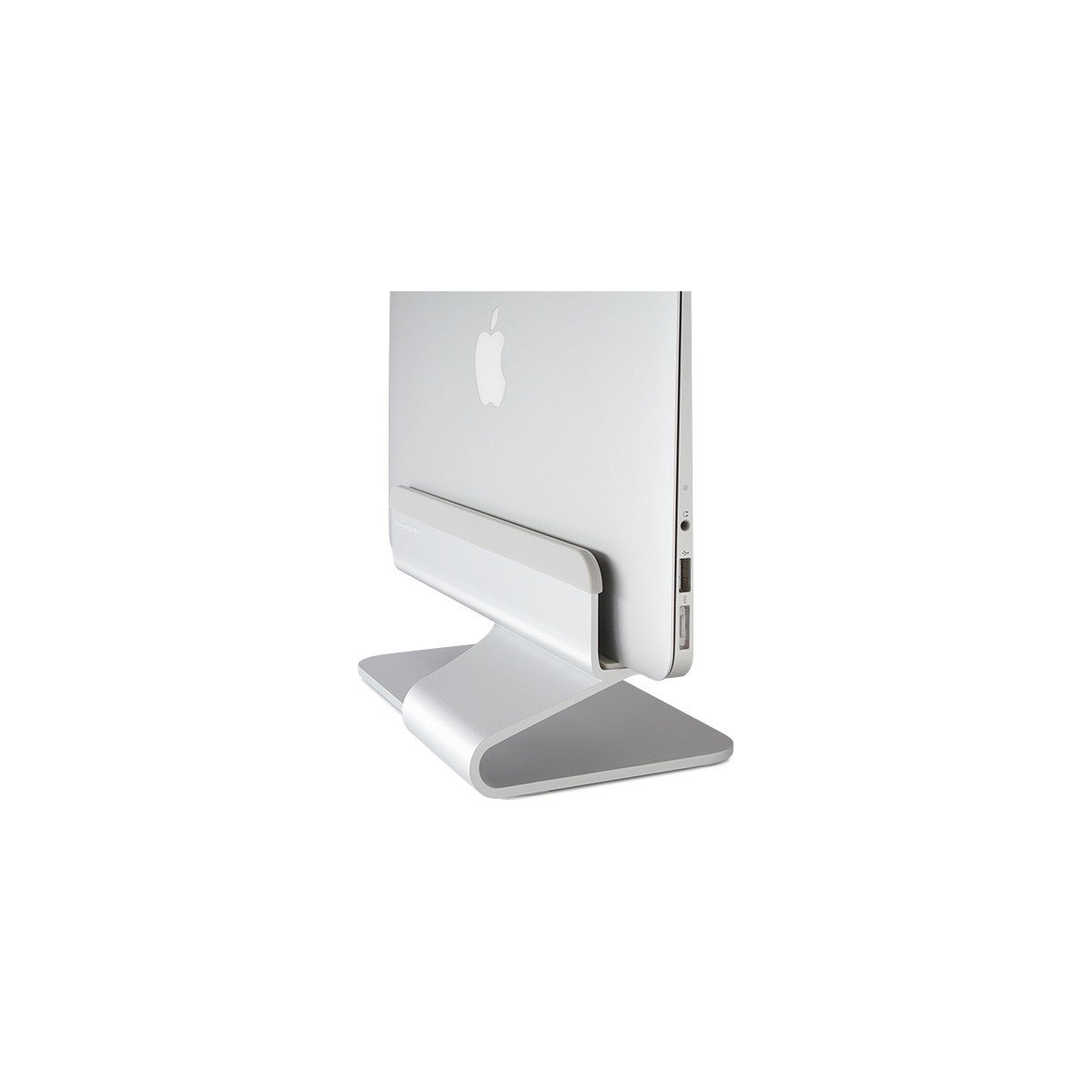
The mTower is not a riser at all. It is a vertical stand that holds your laptop upright and closed, so the machine takes up a slot about 4.5 inches wide instead of a full laptop-sized patch of desk. Rain Design says it frees up roughly two thirds of the space the laptop would otherwise occupy. It is a single piece of aluminum, about 9.8 x 4.5 x 3.5 inches and roughly 1.4 pounds, with rubber adapter inserts so it grips different laptop thicknesses without scratching them. This is the right setup if your real screen is an external monitor and the laptop is just the computer driving it.
It only makes sense with an external monitor, keyboard and mouse, and your laptop needs to support running with the lid closed, which most modern machines do when plugged into power. If you use the laptop screen at all, this is the wrong product category entirely.
Pros: reclaims about two thirds of the laptop footprint; solid one-piece aluminum; rubber inserts fit different thicknesses; helps the laptop vent while docked.
Cons: useless without an external monitor setup; inserts need swapping if you change laptops.
Skip it if: you use your laptop screen as your main screen. Look at the mStand instead.
Your keyboard situation comes first. Any stand that lifts a screen to eye level puts the built-in keyboard too high and too tilted for comfortable typing. Budget for a basic external keyboard and mouse if you do not already own them, or choose a low stand like the Tonmom at its lower settings and accept the compromise.
Match the stand to your chair and desk, not the other way round. Screen height only works if your seat height is right too. A stand cannot fix a bad chair, so if your back hurts even with the screen raised, look at our guide to the best office chairs next, since the two upgrades work as a pair.
Fixed vs adjustable is a lifestyle choice. Fixed stands like the mStand and LS1 never loosen and never need fiddling, but you get one height. Adjustable stands fit more people and more desks, but they ask you to set them up properly and can flex a little under a heavy hand.
Check the size range honestly. A stand rated to 15.6 inches will physically hold some 16 inch laptops and feel nervous doing it. If your machine is 16 inches or larger, stay with picks rated for 17 inches, the Nulaxy C1, the Lamicall LN09 or the mStand.
Cooling is a real but secondary benefit. Open and vented designs help a laptop breathe, especially older machines that run warm. No stand replaces cleaning your vents or replacing a failing fan.
Buying a tall stand and typing on the laptop anyway. This trades neck strain for wrist strain. If you will not use an external keyboard, pick a low tilt stand instead.
Ignoring the front lip. Stands hold laptops with hooks or a lip at the front edge. Thick gaming laptops and laptops with a tapered front edge can sit poorly on shallow hooks, so check your laptop’s front thickness against the stand’s hook depth.
Paying for a travel stand as your only stand. Fold-flat plastic stands are brilliant in a bag and merely fine on a desk. If you mostly work in one place, metal wins.
Forgetting the closed-lid check with vertical stands. Before buying a dock like the mTower, confirm your laptop wakes and drives your monitor with the lid closed while on power. Most do, but a two-minute check beats a return.
How high should a laptop stand raise the screen? The top of the screen should sit roughly at or just below eye level, which for most desk and chair combinations means a lift of about 5 to 7 inches. Adjustable stands make this easier to fine-tune.
Do laptop stands really help cooling? They help a little. Raising the laptop opens the underside vents and lets hot air escape instead of pooling on the desk. Vented and open-frame stands help most. Treat it as a bonus, not the main reason to buy.
Can I type on a laptop while it is on a stand? On low tilt stands, yes, for short sessions. On tall stands, it forces your wrists into a bent position that gets uncomfortable fast. An external keyboard is the proper fix.
Are vertical laptop stands safe for the laptop? Yes, as long as the stand grips with padded inserts, like the mTower does, and the laptop is plugged into power so it can run with the lid closed. Keep the vents unobstructed.
What is the best laptop stand for a small desk? The mTower, if you use an external monitor, because it cuts the laptop footprint by about two thirds. If you use the laptop screen, the Soundance LS1 or the mStand, since both have compact bases.




[…] the chair is sorted, complete the setup with one of the best laptop stands for desk to bring your screen to eye level and ease neck […]